New in Craft CMS 5.5
Craft 5.5 came out yesterday. The Link field gets two of the three things it was missing in August, and the Title is no longer a fixed part of every entry type.
Thomas Sausen
This article is over 2 years old. Features and approaches described here may have changed since.
The Link field, three releases in
In August, I wrote that the Link field shipped without a label input, a target setting, or a class setting, and that a button label therefore meant a second field next to the first.
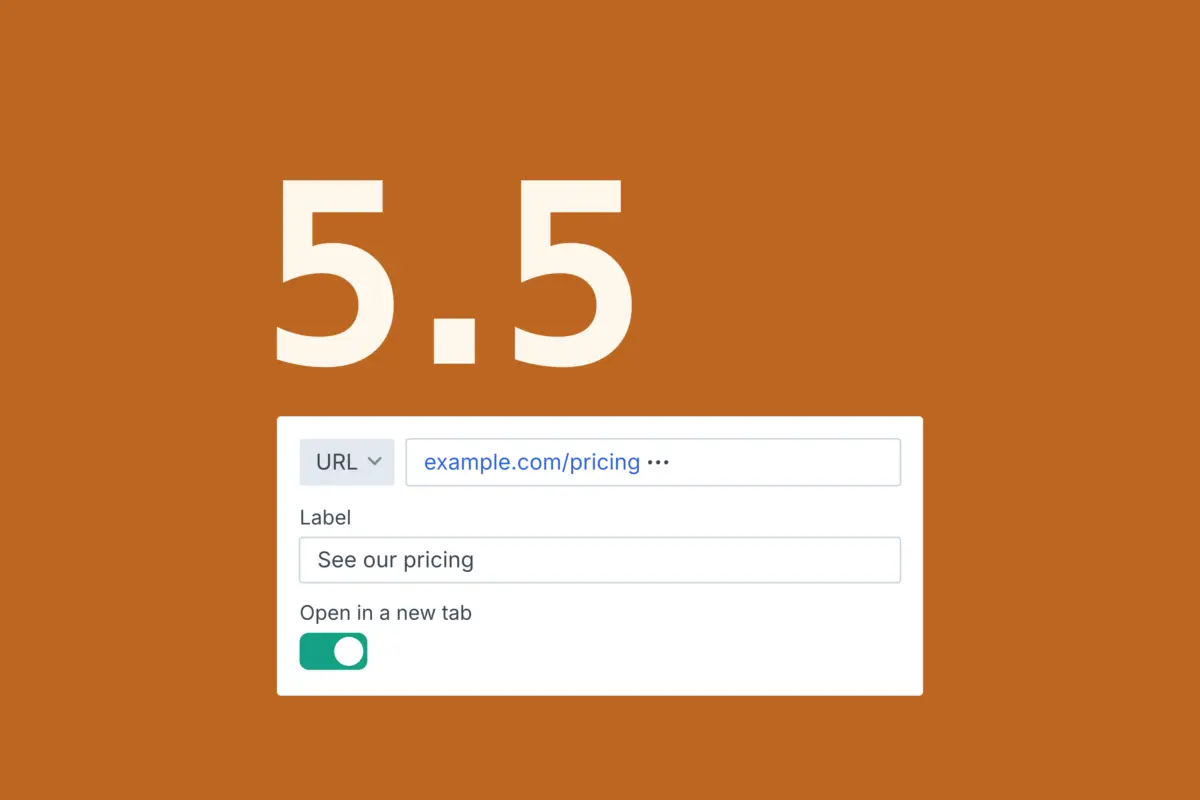
5.5 adds "Show the 'Label' field" and "Show the 'Open in a new tab' field." It's a toggle rather than a free-form target attribute, which covers what editors actually need. The class setting is still missing.
The field arrived in 5.3. 5.4 added root-relative URLs and anchors and fixed a bug where TLDs longer than six characters were rejected. 5.5 adds the label and the new-tab toggle, makes the allowed link types sortable, fixes URLs with non-ASCII characters, and makes translatable Link fields swap in the localized element when propagating to a new site. That's three releases with fixes in roughly three months.
The Title is just a field now
The "Show the Title field" entry type setting is gone. Instead, the Title element can be removed from the field layout, the way you'd remove anything else. Entry types can define a Default Title Format that applies even when the Title field is present, filling in a value if an editor leaves it blank. And you can now control whether the Title is required. Some of my entry types don't need a Title, so this one matters to me.
In Craft 4 the Title was structural. It's now a field layout element with a couple of extra settings.
Draft-based saving for nested elements
Saving a nested element in a Matrix or Addresses field in card view now writes to a draft of the owner element instead of publishing immediately. Nested element cards show status indicators when they're new or hold unpublished changes.
Card view was the gap here. Inline-editable blocks already began life as unpublished drafts in 5.3. Now editing a card no longer pushes changes live either.
Range field
Range is a new field type with a slider input for a value inside a defined range. It suits values like opacity or weighting, where a number input is technically fine and practically annoying. Number fields also get a "Step Size" setting.
Custom options for checkboxes and radio buttons
Checkboxes and Radio Buttons fields get an "Allow custom options" setting, letting editors add values alongside the predefined ones. The alternative used to be a Tags field, which brought a whole element type along for the ride.
Card attributes
Card views can now include native element attributes alongside custom fields, through new Card Attributes configurators. That means things like the post date or ID are visible without opening the element.
Markdown in field layouts
There's a new Markdown UI element type for field layouts.
Last time out I called tips and warnings the addition I'd use most, and I meant it. This is the same idea with more room: a block of formatted text within the layout for cases where a one-line warning isn't enough. I haven't used it yet. A tip works because it's short enough to read, and I'm not sure a longer block of text in the layout gets the same attention.
Audio and video preview
Audio and video assets now have players on their Edit Asset screens. That's useful when media is hosted in Craft rather than pushed to Vimeo or a podcast host.
Further down
The merge commands from 5.3 got a safety net: fields/merge and fields/auto-merge now prompt you to resave elements with relational fields first, and hand you a command to run on your other environments before deploying.
Sections no longer need unique names, matching what entry types got in 5.3. The update command takes --except, --minor-only, and --patch-only. There's a users/remove-2fa command, which you'll want the first time someone loses their phone. User impersonation now requires an elevated session.
And there's a substantial accessibility block: screen reader improvements across the control panel, better keyboard control, better contrast on required field indicators, and image focal points that can be moved without dragging.
Conclusion
Making the Title a regular field layout element continues what Craft 5 started when Matrix blocks became entries.
Check the full changelog for everything not covered here.

Thomas Sausen
Web Developer