New in Craft CMS 5.4
Craft 5.4 came out today. No headline feature, and a good part of it answers things from the last two releases.
Thomas Sausen
This article is over 2 years old. Features and approaches described here may have changed since.
The Link field, one month on
In August I wrote that the new Link field was a good start and unfinished: no label input, no target setting, no class setting.
5.4 adds settings, but not those. Link fields now have "Allow root-relative URLs" and "Allow anchors," and they no longer reject URLs with TLDs longer than six characters, which is the kind of thing that surfaces the moment someone tries to link to a .digital or .consulting domain.
The field is being worked on four weeks after release, and validation comes before presentation. That's arguably the right order, but a button label still means a second field next to the first.
Field layout tips and warnings
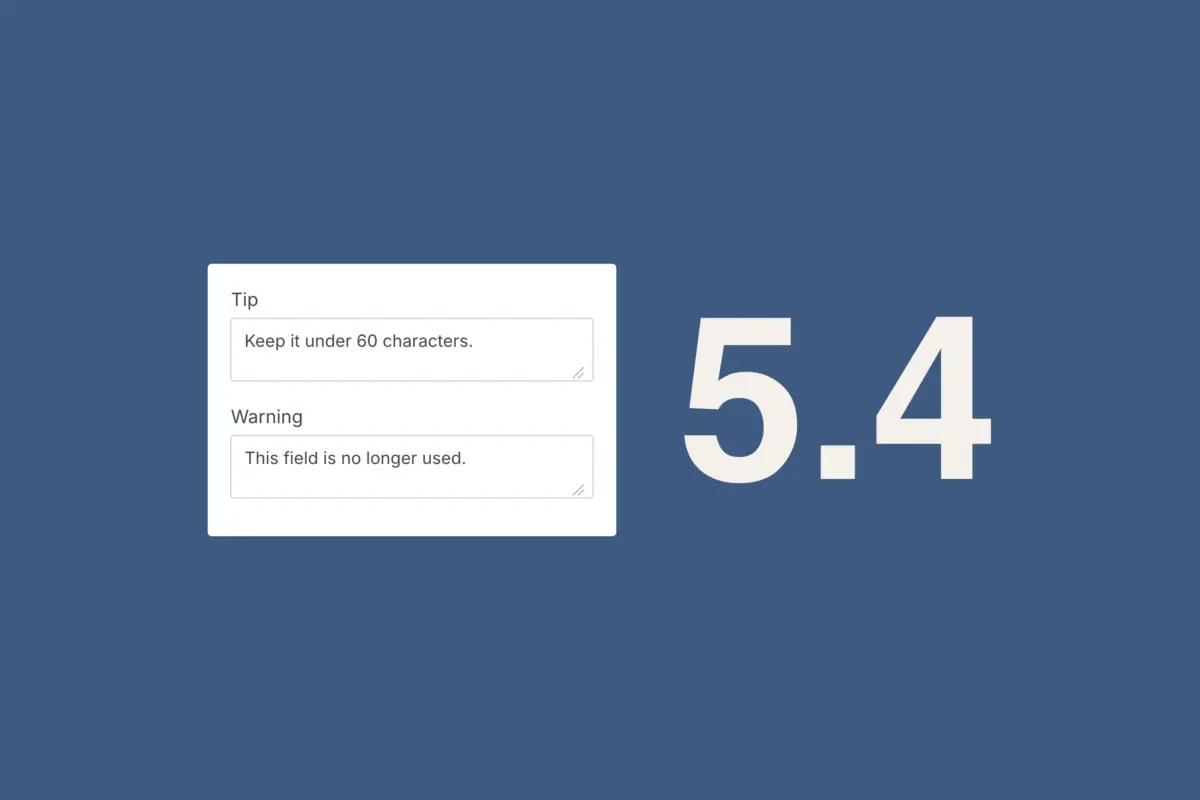
Field layouts can now define tips and warnings shown alongside fields.
This is the most useful addition in 5.4. Editors often ask what goes in a field and how long it can be. Field instructions cover part of that, but instructions describe what the field is. A warning describes what happens if you get it wrong. Until now that went into the instructions too, where it carried the same weight as everything else and was easy to overlook.
Whether editors read the warnings is another question. At minimum, the information moves from a handover document into the screen where the work happens.
Inline editing in the Entries index
Post dates, expiry dates, slugs, and authors are now editable directly from the Entries index. Category slugs got the same on the Categories index.
Single sections with multiple entry types
A single can now have multiple entry types. Previously, that meant either a workaround or a second section.
"Used by" columns
The Fields index shows how many field layouts each field is used by. The Entry Types index lists which sections and custom fields each entry type belongs to.
This follows the same idea as the tips and makes structure visible where you work. It also cleans up after Craft 5. Field instances let the same field appear repeatedly under different names, which was the point, but it also meant a field could turn up in places you'd forgotten about. Field selectors in field layouts now also show a pencil icon when a name, instructions, or handle has been overridden, plus a chip for the underlying global field. Both changes make it easier to see what you're actually looking at.
Not related to
Element conditions get a "Not Related To" rule, and queries get notRelatedTo and andNotRelatedTo parameters, plus the GraphQL argument. It's the counterpart to relatedTo and more useful than it sounds, for example for articles not already linked from this entry or products not yet featured.
Preview URLs get locked down
Preview parameters are now hashed and validated, unverified parameters no longer end up in generated URLs, and preview requests send X-Robots-Tag: none.
The first two changes close off a way of forcing preview mode on a request. The third has everyday consequences. Preview URLs were indexable, so unpublished content could turn up in search results, and you'd usually only find out when a client asks why a draft is on Google.
One consequence of Craft 5
Hard-deleting an element now also hard-deletes its nested elements.
That's a consequence of the architecture change in March. Since Matrix blocks became entries, deleting the parent could leave its nested entries behind. If you've hard-deleted entries since March, there may be more in your database than you think.
Conclusion
Most of 5.4 cleans up after earlier releases, from the Link field's first settings to nested entries being deleted properly. The tips and warnings are the exception, and the one addition here that changes what a handover looks like. Check out the full changelog.

Thomas Sausen
Web Developer