New in Craft CMS 5.12
Craft 5.12 came out this week. Most of the attention will go to the new MCP servers, but for a bilingual site like this one, the Sites pane is the more useful addition.
Thomas Sausen
The Sites pane
CraftEntries runs in English and German, and I'm currently translating a backlog of older articles into German. So I'm constantly checking whether entries are enabled in one site or both.
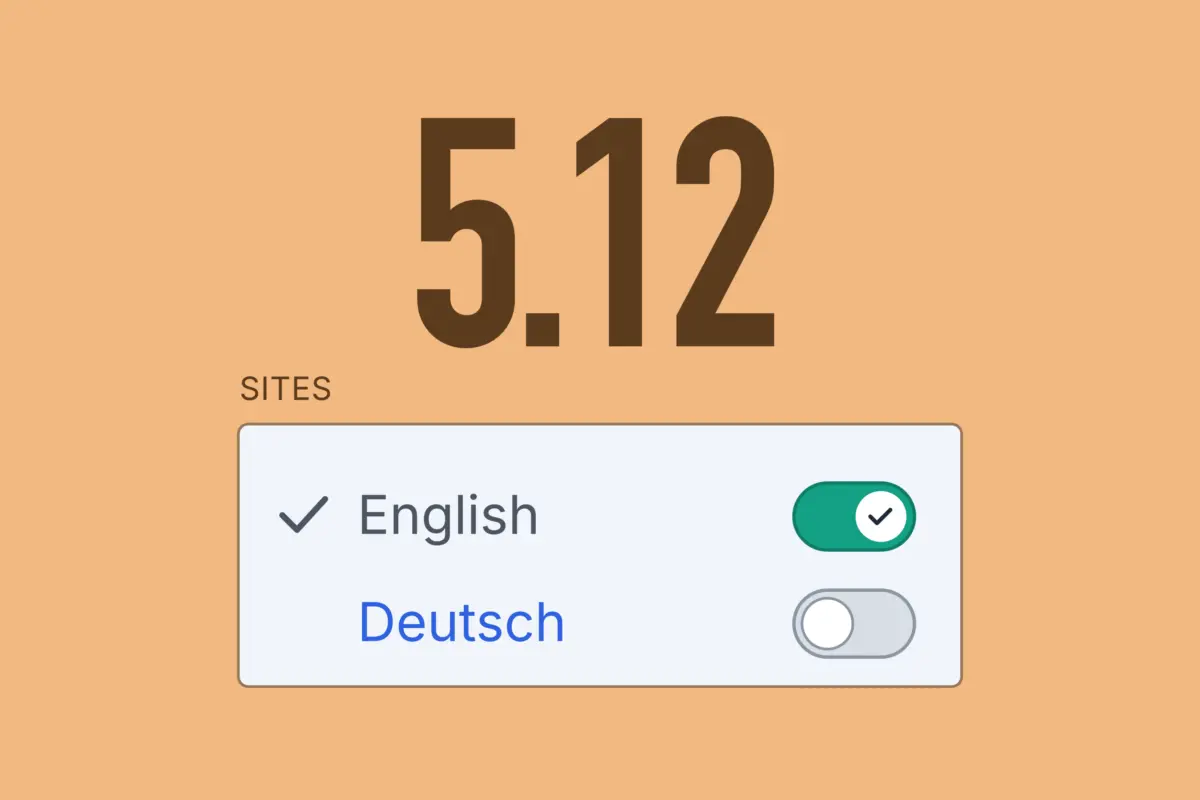
The per-site statuses used to be hidden behind a small "…" button next to the status toggle. I knew it was there, but it never felt like the obvious place. The pull request for this feature links five community discussions asking for it to be more visible, so I'm not the only one.
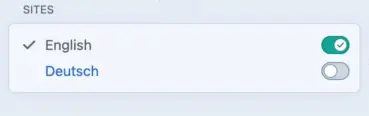
On multi-site installs, 5.12 replaces the Status pane with a Sites pane. It shows which sites the entry exists in. Each site has its own status toggle, and clicking a site name opens the entry in that site. This also works in slideouts. From there, you can add the entry to another site and remove a site again if you added it by mistake.
Moritz L'Hoest, who I wrote about here a while ago, reviewed the pull request. He thought the first version still hid too much behind an "other sites" toggle, particularly on installs with only a few sites, and Brandon Kelly changed it before merging.
Assets per site
Craft has always saved every asset to every site. If you uploaded an image while editing the German site, it also existed on the English site. In most projects, that's exactly what you want.
There's now a "Propagation Method" setting for volumes. With "Let each asset choose which sites it should be saved to", an image is only saved to the site you uploaded it from. You can add it to other sites later in the asset's Sites pane.
Existing volumes on multi-site installs keep the old behavior. New volumes don't. They use the new setting by default, which is rarely what you want for a regular multilingual website. If you create a volume there, switch it to "Save assets to all sites" before the first upload.
The new setting is useful for installs that run two separate websites, say for two companies under the same parent company, each with its own brand and content. The usual workaround was one volume per website, so editors only saw their own images. Craft still saved every image to both sites, though. Nobody saw the other website's photos, but they still lived in the database and the search index. With the new setting, an image exists only on the site it was uploaded to.
MCP servers
Craft now has two built-in Model Context Protocol servers that AI clients can connect to. Both are disabled until an admin turns them on under Settings → MCP.
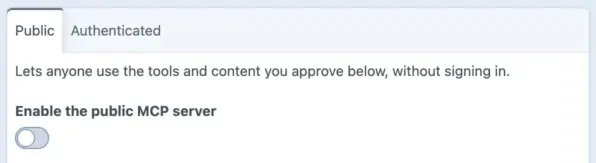
With the authenticated server, a user signs in through Craft's new OAuth server and gives the client read-only access, read and write access, or full access, which only admins can grant. The client then acts as that user, with that user's permissions. The public server doesn't require a login and only exposes content an admin has approved. For local use, there's also a php craft mcp/serve command.
MCP is the buzzword of the moment, so it's easy to think you need this as a developer. I'm not sure you do. If you already run Claude Code in your project folder, it can read the project config and the templates and run php craft commands, so it already knows how your project is built. In episode 24, I talked to Michael Thomas about his Claude Code skills for Craft, and that setup works without MCP. MCP does help with content. Entries live in the database, and an agent that goes through Craft gets them with field handles and validation instead of digging through tables.
The people who will get the most out of it are editorial teams that already use AI a lot and want to connect it to their website. That also makes me a bit nervous. If an assistant can change 200 entries at once, a mistake can affect 200 entries too. Craft gives you a few ways to limit that. Read-only access is the default, and that's enough for checking content, like finding entries without alt text. You can set up a separate user for the AI client that may create drafts but not publish them, so a person still decides what goes live. And every authorized client is listed under My Account → Tokens, where it can be revoked.
GraphQL as a user
GraphQL requests can now authenticate as a user, with an OAuth token or a personal access token from My Account → Tokens, and Craft builds the schema from that user's permissions. I don't build headless sites, so this isn't something I've been missing, but anyone running a members area or an app on top of Craft will probably see it differently.
Colors with opacity
Someone asked for alpha channel support in Color fields back in December 2020. The request got three upvotes, one more comment five years later, and no reply. Now it's in.
I usually don't want editors tweaking colors. The design is settled before launch, and a Color field with a fixed palette keeps everything in line with the brand guidelines. That palette couldn't include translucent colors, which are useful in a few specific places, like a background behind text on top of an image. With 5.12, palette colors can have an alpha channel. The designer can add something like the brand blue at 70% next to the solid version, and editors still only choose from that list.
Field values also have new properties like rgba, hsla, oklch, and contrastColor. The last one returns a readable text color for whatever background was picked, so you no longer have to match text colors to palette colors by hand in your templates.
If your templates use hex, check them. For translucent colors, it now returns eight digits, including the alpha channel, so templates that append their own alpha value will produce invalid colors.
Custom icons
Icon fields and entry type icons have only ever offered Font Awesome. Now you can bring your own icon sets. The customIconPath config setting, for example @config/icons, turns a folder of SVG files into a "Custom" set, and plugins can register whole icon libraries.
For my own projects, I've always scrolled through Font Awesome hoping something would fit. I've been doing that more often since 5.9, because sections no longer have to live under Entries. Podcast and Articles have their own places in the sidebar here on CraftEntries, client projects get more menu items the same way, and I like to give each of them an icon. Other libraries make that easier. In the extreme case, a client with a strong brand could get an icon set made to match it.
As a Craft developer, I care about the control panel as much as the front end, and having worked as an editor myself, I want clients to manage their content without having to think about where things are. Icons help with that, at least a little.
The render tag
Since Craft 5.0, entry.render() renders an entry with the partial template for its entry type. 5.12 adds a {% render %} tag that does the same thing and also passes the current template variables, like {% include %} does. With Matrix fields that means a lot less with in templates.
{% render entry.myMatrixField %}
Conclusion
In the 5.10 article I asked whether that might be the last big release before Craft 6. After a small 5.11 in September, I assumed it was. 5.12 is big again, and a lot of it comes from the 6.x branch. The MCP pull request is titled "Backport MCP servers and OAuth to Craft 5.12", and the OAuth tables are set up so that Craft 6 can take over tokens created with 5.12.
On client sites I'll install the update soon and leave MCP off for now. Login and two-factor requests now have a rate limit per IP address, and two moderate-severity vulnerabilities are fixed. The Settings page has been reorganized too. Filesystems now live under Assets, and Plugins and MCP have moved to a new "Extend" section. Check the full changelog; there's more than I covered.

Thomas Sausen
Web Developer