Craft CMS 2: New pricing, categories, and more
Five months after Craft 1.3, Pixel & Tonic announced Craft 2 on April 1, no joke. A successor after only ten months is surprising, especially since Craft 2 is far more than a minor update, with 250 new features and improvements.
This article is over 12 years old. Features and approaches described here may have changed since.
What's new?
Categories
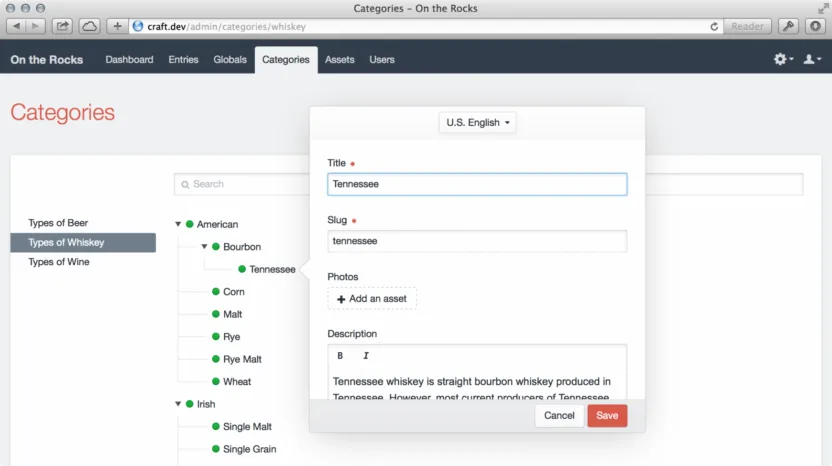
Categories are one of those features that makes you wonder why it took until version 2.0. Hard to argue it wasn't missing from day one. With Craft 2, categories are a full element type with their own field layout and field type. You can attach them to entries, assets, and other elements.
Tags are great for freeform keywords, but categories are better for fixed, hierarchical structures. For example, you might use them for blog topics or product categories in a shop. You can organize categories into groups and nest them at multiple levels.
New control panel
Craft 2 ships with a redesigned control panel. The layout is wider and more flexible, right-to-left language support has been added, and the navigation has been cleaned up considerably. Settings and updates are now icons in the header, each with direct links to their sub-pages.
The new Find and Replace tool in settings is also very handy. You can search and replace text across all Rich Text and Plain Text fields, even inside Matrix fields. If you've ever had to change a domain name with hardcoded URLs, you'll know how helpful this feature is.
Caching
Craft 2 adds eight caching methods: APC, database, eAccelerator, Memcache(d), Redis, WinCache, XCache, and Zend Data. The preferred method can be enabled via the new cacheMethod setting in the config file.
There's also a new {% cache %} tag for partial template caching. This lets you cache only the resource-heavy parts of your templates instead of the whole page. For sites mixing dynamic and static content, the difference can be significant.
Background tasks
Time-consuming processes now run in the background, so they don't block page requests. This makes the control panel feel much more responsive.
New pricing model
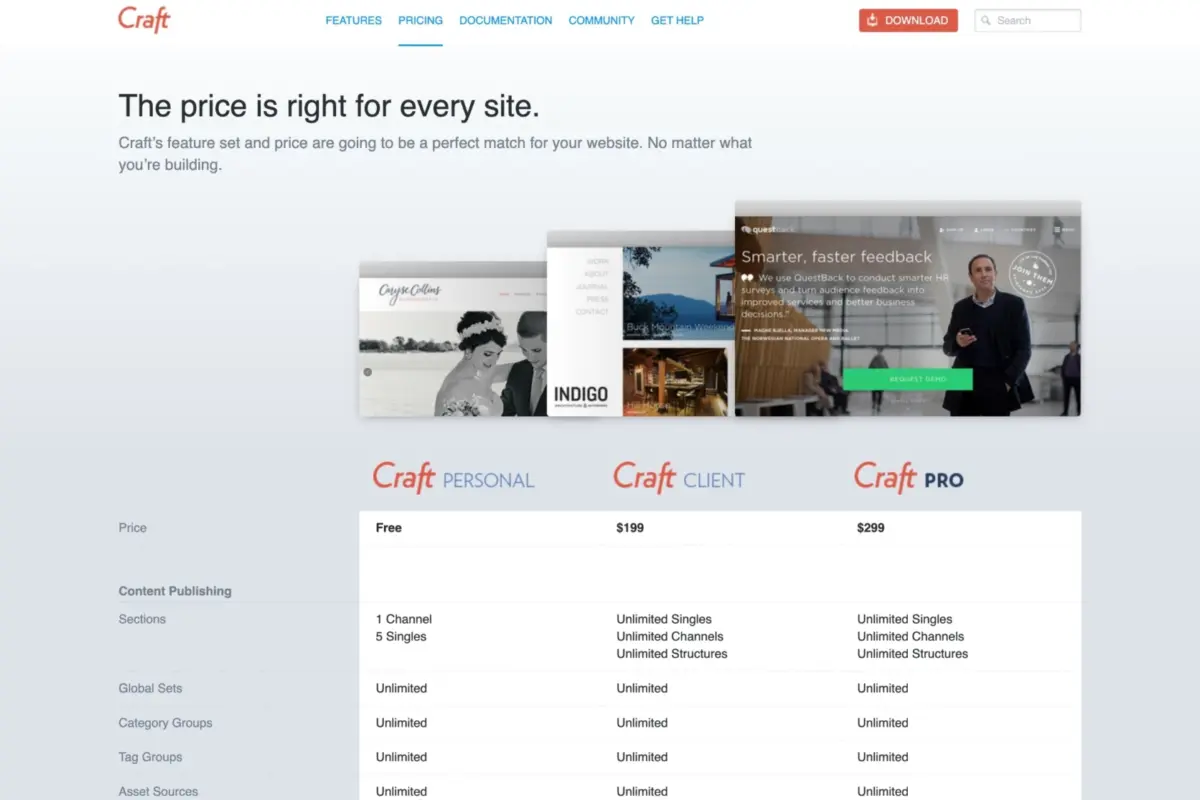
The new pricing model is a big improvement. Instead of having to buy several separate add-ons, there are now just three types of licenses.
We haven’t been in love with our pricing model. On one hand, some of our customers voiced that it was too complicated, with each site requiring five separate purchase decisions. On the other hand, some of our customers wished for more granularity.
Craft Personal
Craft Personal replaces the old free core edition and is still free. It's meant for smaller websites or blogs, but there are some clear limits: one channel, five singles, and one user account. It doesn't include multilingual support, content versioning, or cloud hosting.
Craft Client
Most small client projects will end up here. For $199, Craft Client drops the channel and singles limits, throws in drafts and versioning, and gives the client their own editor account to manage content.
Craft Pro
Craft Pro has no restrictions. You get full user management with as many accounts, groups, and detailed permissions as you need. It also includes multilingual support and cloud storage like Amazon S3.
We’re really excited about this. We think it’s a much simpler model, and the new price points are going to help get Craft into the hands of even more people. We hope you agree!
My take
I've used Craft since the beginning, so I was thrilled to see the new licensing structure. Craft Client features used to cost $299 if you bought the Craft 1 packages, and all the Craft Pro packages together would have cost $695.
Craft 2 makes the pricing conversation with clients considerably simpler. Being able to switch to a higher tier at any time also helps.
Craft Personal is capable enough to be more than just a demo. Maybe now some web developers and agencies will discover the CMS and be convinced by it, and word of mouth will spread Craft further.

Web Developer